 Safari guide
IPHONE & IPAD
A place on your
Home Screen.
Add Connelio once, then keep your conversations one tap away.
Use Safari on your iPhone or iPad, then follow the visual steps below.
FAST PATH
Install in one tap
Skip the Share menu. This installs a web-shortcut profile, so the Connelio icon lands on your Home Screen and opens full screen — no browser bars.
Install profileOpen this page in Safari (not inside a chat app). Tap the button, allow the profile download, then open Settings, tap Profile Downloaded and tap Install. Install it within 8 minutes or iOS deletes it.
If it landed in the Files app instead, tap the Connelio.mobileconfig file there — iOS will open Settings and offer to install it. iOS labels the profile “Unsigned”, and this shortcut can’t receive web push. If you want notifications, use the Safari steps below instead.
THE SAFARI PATH
Four taps, then you’re in.
Use the screenshots as a map. The red marks show exactly where to look on your screen.
-

Find the More button FIRST
Open Safari’s menu
At the bottom of the Safari window, tap the More button with three dots. It may be beside the address bar.
Stay in Safari for the install option to appear.
-

Choose Share NEXT
Tap Share
In the menu, tap Share — the square with the upward arrow. This opens Safari’s share sheet.
If the menu is compact, Share is usually near the top.
-

Reveal more actions THEN
Scroll down and tap More
Swipe up on the share sheet and tap the downward More arrow to reveal the full list of actions.
The arrow is at the bottom right of the action row.
-
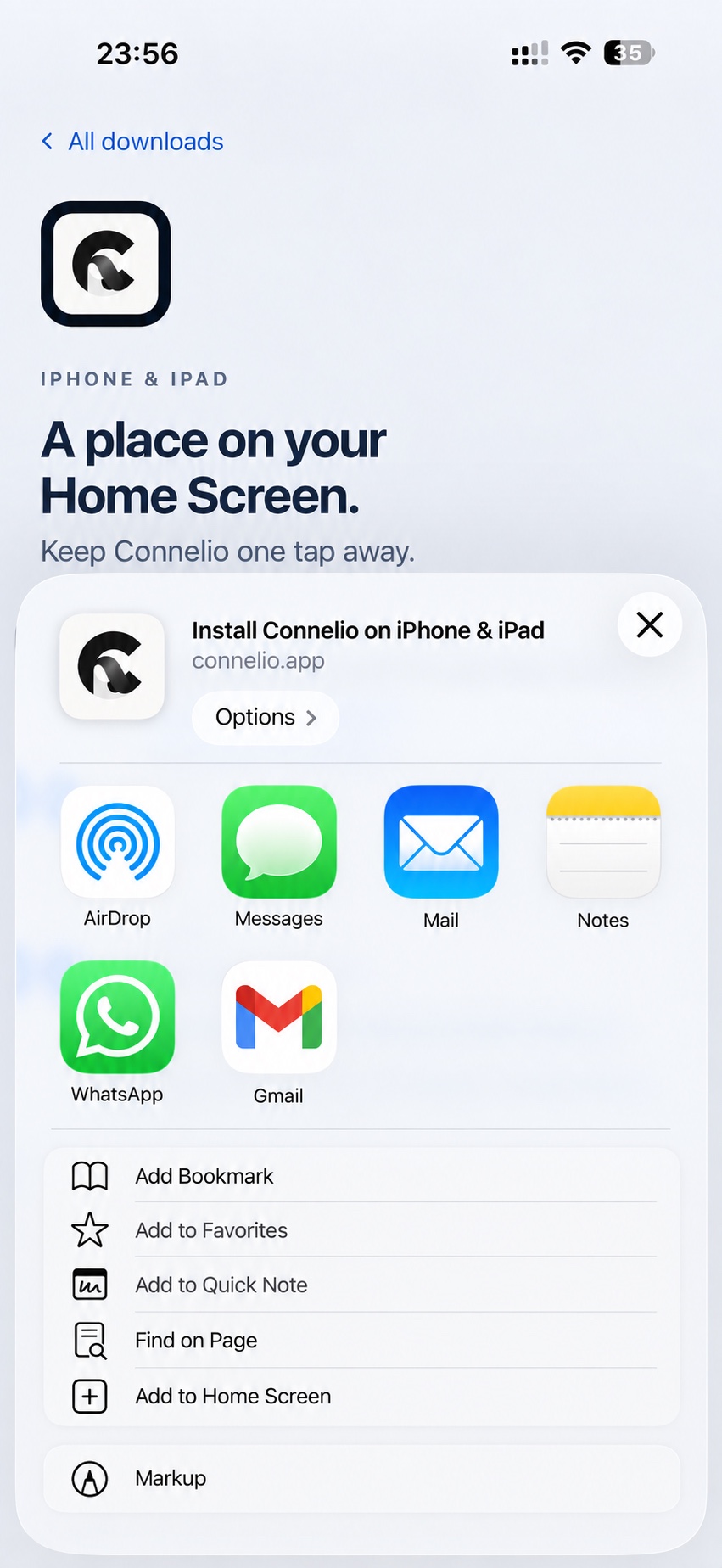
Choose Add to Home Screen FINISH
Add it to your Home Screen
Tap Add to Home Screen. If Open as Web App appears, leave it on, then tap Add.
Look for the Connelio icon on your Home Screen when you’re done.
Can’t find “Add to Home Screen”?
Make sure this page is open in Safari, not inside another app. Scroll through the Share sheet; on some iOS versions, tap Edit Actions to add the option.